Introducing the ‘Collage’ web content layout: A canvas for digital storytelling
The ‘Collage’ component brings a powerful new feature to our Core platform, offering a dynamic, flexible, and a pretty cool way to create pages.
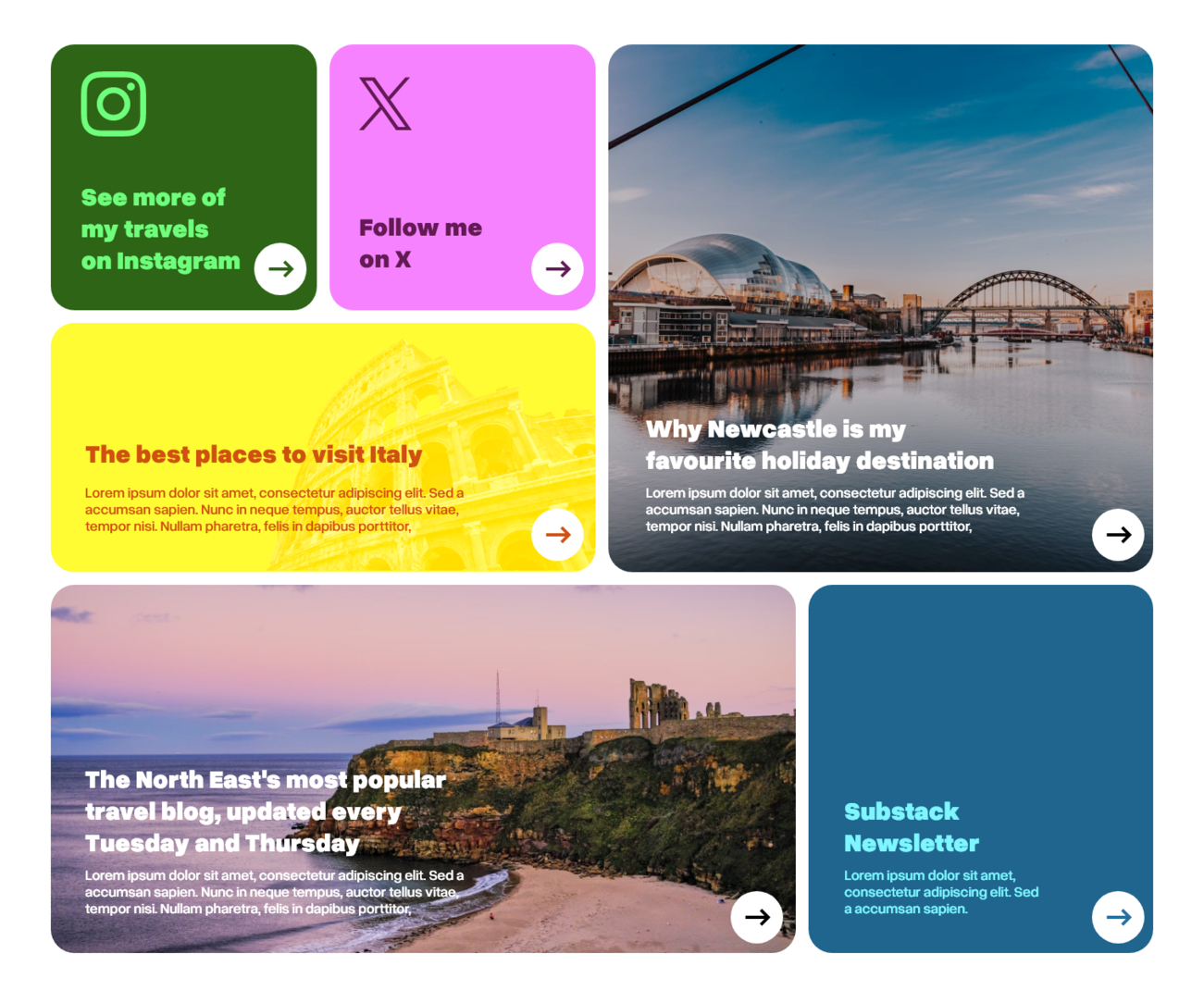
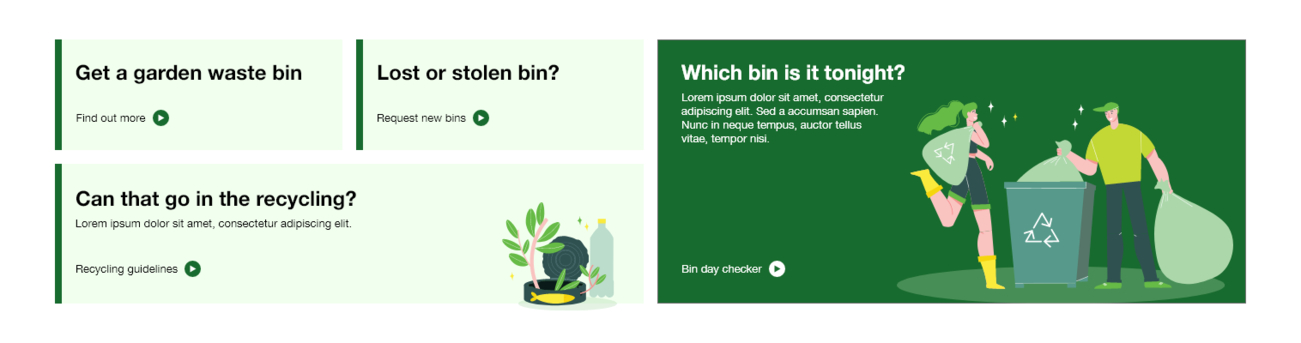
It allows a layout of content blocks to be structured in an elegant, pre-defined grid-based or collage style. The blocks themselves are created from what we call ‘Promo Panels’ – and can include a piece of media (an image or a video), text or a link.
This enables the collage layout to be a great tool to create a visual narrative on a webpage, that is beautifully laid out, highly responsive and visually impactful.
GALLERY INSPIRATION
We created Collage to introduce some innovative new ways of designing and managing pages in our Core platform. It’s particularly suited to use on homepages and landing pages, but the possibilities are endless! Collage will be particularly useful for clients in the eCommerce space, because it’s great at showing off products and offers, but there are some great applications elsewhere, too.
How can you use it? We’ve pulled together a gallery of ideas for inspiration:
Launching a new product or to show a range of products

Showcasing a portfolio

Displaying data results visually on a web page or banner

A story-board or news-driven style homepage
Highlight a user’s top tasks or display a lot of info in one place
HOW IT WORKS
Collage is highly configurable, making it a perfect tool for content editors and marketeers. When adding Collage to a page, editors can:
- Choose the layout
- Choose which panels go where
- Configure each panel (to include images, videos, colours, text, or links)
- Configure the spacing between the panels
No image resizing
To make life easier, images resize automatically to fit the panels and look great across a broad range of devices. If the automatic resizing doesn’t get the crop or focal point quite right, this can be fine-tuned by the content editor.
Easy and quick to use with Drag and Drop
Changing the positioning of the panels is easy - just drag and drop, and they’ll resize to fit different parts of the layout.
We’ve also introduced a new method of text balancing, which means that line breaks will resize gracefully across different devices, maintaining a greater sense of balance.
Out-of-the-box layouts to get started
Out-of-the-box it comes preconfigured with two layouts. Both are two column layouts, with the choice of having one block or three blocks on the right. More layouts can be created to suit the specific needs of a website.


Interested in Collage for your website?
Collage is available as an optional extension to all of our existing Core users (on v2.4 and above), or can be built into a new Core project. Want it for your site? Get in touch


Results
Sort by:
Type:
From {{ group.title }}
Sorry, there are no results to show